


.jpg)


How to create an eLearning course, step by step
Building an eLearning course comes down to nine steps — set your objectives, know your audience, outline and storyboard, choose your authoring approach, build the content, add assessments, design for accessibility, test, then publish and track results. Whether you're an L&D professional or a training manager, AI now speeds up several of those steps — outlining, first-draft authoring, and assessment generation — without replacing the judgment that makes a course work.
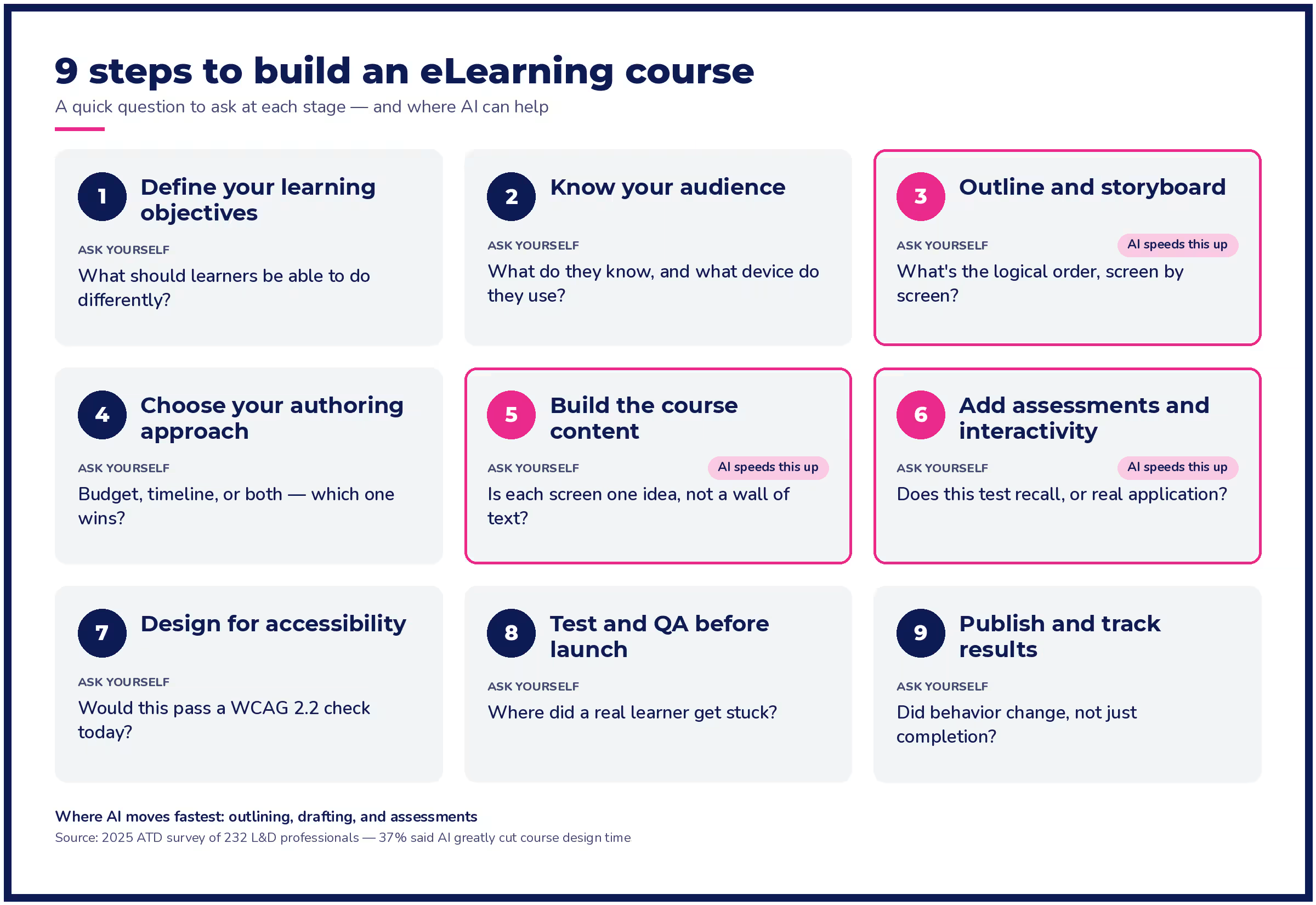
Step 1 | Define your learning objectives
Start by writing down what a learner should be able to do after finishing the course — not just what topic you're covering. "Understand compliance requirements" isn't an objective. "Correctly identify and report a workplace safety hazard" is.
Tie each objective to a business result your organization already cares about, like fewer support tickets, faster ramp time, or lower audit risk. If you can't connect an objective to something the business measures, it probably doesn't belong in the course.
Write two to five objectives per course. More than that usually means you're building two courses and calling them one.
Step 2 | Know your audience
Before you outline anything, find out what your learners already know, what tools they use daily, and how much time they realistically have. A course built for experienced managers looks different from one built for new hires on day one.
Ask what device they'll use. A field technician checking a course on a phone between jobs needs something different from an office employee at a desktop.
Talk to a few actual learners or their managers before you write a single slide. A five-minute conversation here saves hours of rework later.
Step 3 | Outline and storyboard your content
An outline maps your objectives to specific topics and sequences them logically. A storyboard goes further, sketching out what each screen or module will show and say before you build anything.
Storyboarding used to be one of the slowest parts of course creation — an instructional designer working alone could spend days turning a rough topic list into a screen-by-screen plan. AI-assisted outlining tools can now generate a first-draft structure from a prompt or a source document in minutes, giving you a starting point to edit rather than a blank page to fill. The instructional design judgment — what to cut, what to expand, what order actually makes sense for this audience — still has to come from you.
Keep your storyboard rough at this stage — bullet points and rough screen descriptions, not finished copy.
Step 4 | Choose your authoring approach
You have three broad options, and the right one depends on your budget, timeline, and team.
Approach What it costs you What it doesn't include Free or low-cost DIY tools Little money upfront, but your time — you handle the design, the build, and the troubleshooting yourself A faster build; you're doing it all yourself Paid authoring tools Money for the tool, in exchange for a faster build A separate learning management system (LMS) to host, track, and report on the finished course An LMS with a built-in AI course builder, like Absorb LMS with Absorb Create One place to build and deliver, plus a generative AI first draft you edit and publish Nothing — it combines the other two approaches |
One quick scope note — creating an eLearning course and creating an eLearning platform are different jobs. This guide covers building a single course. If you're choosing or building the underlying system that hosts and delivers courses, that's a platform decision, with its own tradeoffs.
Step 5 | Build the course content
Break your storyboard into short chunks — one idea per screen, mixing text, audio, and visuals so learners aren't just reading a document on a screen. Long blocks of unbroken text are where learners tune out.
This is another step where AI has changed the timeline. Tools that turn a script or a PowerPoint deck into narrated video, or generate a first-draft voiceover, can take a rough source file to a polished module in a fraction of the time manual recording and editing used to take. You still need to review the output for accuracy and tone before it goes live — AI gives you a fast first draft, not a finished course.
Step 6 | Add assessments and interactivity
Knowledge checks confirm learners absorbed the content. Scenario-based assessments go further, testing whether they can apply it — which matters more if the goal is behavior change, not just completion.
AI-generated quiz drafts, built from your course content, can give you a starting set of questions to edit rather than writing every question from scratch. Review every AI-generated question yourself before publishing — accuracy and relevance to your specific content matter more than speed here.
Step 7 | Design for accessibility
Build accessibility in from the start, not as a check before launch. Retrofitting an inaccessible course is slower and more expensive than designing for accessibility the first time.
Follow the WCAG 2.2 standard for web content accessibility, including sufficient color contrast, keyboard navigation, captions on video, and alt text on meaningful images. Most modern authoring tools flag common accessibility gaps as you build, so you catch issues before they reach learners.
Step 8 | Test and QA before launch
Pilot the course with a small group before rolling it out widely. Five to ten learners who represent your real audience will surface problems a solo review misses — confusing instructions, broken links, a question that has two right answers.
Gather feedback specifically, not just "did you like it." Ask where they got stuck, what they skipped, and what they'd change. Fix what you can before launch, and note the rest for the next revision.
Step 9 | Publish and track results in your LMS
Publish in a standard format — SCORM, xAPI, or HTML5 — so your course works in your LMS and any others you might use later.
Publishing isn't the finish line. Track completion, but also track whether the course actually changed behavior — fewer errors, faster ramp time, better assessment scores over time. That's the real measure of whether your eLearning course development effort worked, not just whether people clicked through it.
How AI is cutting eLearning course creation time
AI is measurably compressing how long course creation takes — but the honest picture requires real numbers, not a vendor's own claim about its own tool.
In a 2025 survey of 232 talent development professionals, the Association for Talent Development found that 37% said AI tools had greatly reduced the amount of time it takes to design a course. That's an independent, third-party number — not a marketing claim from an authoring tool vendor.
The biggest challenge with upskilling has always been keeping content current. Historically, everything was manual. We would spend hours editing recorded sessions, re-recording entire courses, and starting over whenever something changed. Today, that's no longer the case. With powerful AI, we can jumpstart course creation or take something as simple as a PowerPoint, add an AI voiceover, and have a polished course ready to go. When a product or process updates, we simply make the necessary changes, republish, and move on. There's no more rebuilding from scratch - and the time savings are incredible. —Devan Graham, Absorb's Senior HR Business Partner
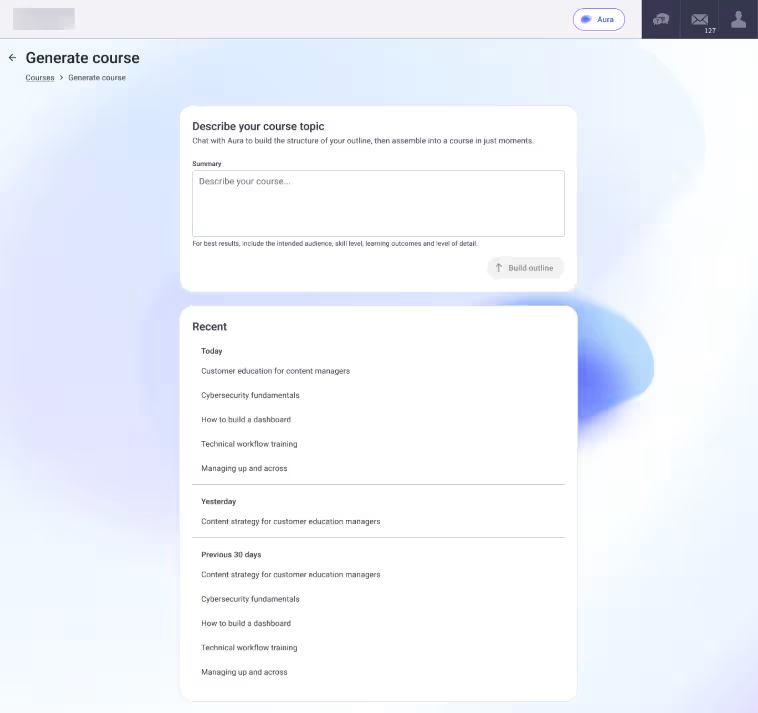
This is where the steps above and the tools you choose connect, and Absorb has two different AI authoring tools built for different parts of this process. Aura Create turns a written prompt or an uploaded document into a course outline and a first draft in minutes, then publishes straight to Absorb LMS — a fast path for compliance training, ops guides, and policy updates that doesn't require specialized authoring skills. Absorb Create's visual editor is where a PowerPoint deck becomes narrated video, and where branching scenarios, custom branding, and richer assessments come in.
Consideration | Aura Create | Absorb Create |
How it works | Describe your course in a chat interface or upload a source document; Aura generates a structured course in minutes, which you refine through conversation before publishing | Build courses in a visual editor using drag-and-drop tools, templates, custom themes, and multimedia embedding |
Best for | Compliance training, ops guides, and policy updates, without specialized authoring skills | Flagship onboarding, customer education, partner enablement, and branded interactive learning |
Interactivity | Text, images, and simple knowledge checks (true/false and multiple choice) | Branching scenarios, drag-and-drop activities, AI narration, and richer assessments with performance feedback |
Publishing | Straight to Absorb LMS | Absorb LMS, or export as SCORM, xAPI, or HTML5 |
Neither tool replaces your judgment on tone, accuracy, or whether a generated example fits your workplace — review before you publish, same as Steps 6 and 8 above.
Common mistakes to avoid
Skipping straight to content without clear objectives. Without them, you can't tell if the course worked, and you'll spend hours building content nobody needed.
Treating accessibility as a final checklist item. Retrofitting accessibility after the course is built costs far more time than designing for it from Step 1.
Publishing an AI-generated first draft without review. AI-assisted tools speed up drafting, but they don't know your audience, your brand voice, or whether a generated example actually applies to your workplace. Review before you publish.
Underestimating the audience-analysis step. A tight deadline or a small budget tempts teams to skip straight from objectives to content. Even a short conversation with a few real learners catches problems a rushed course misses entirely.
Frequently asked questions
How long does it take to create an eLearning course?
It depends on length and complexity, but a short course built with AI-assisted authoring tools can go from outline to published in days rather than weeks, especially compared to a fully manual build.
Do I need instructional design experience to create an eLearning course?
No, but it helps. Modern authoring tools, including AI-assisted ones, can guide you through the process, though a basic understanding of learning objectives and audience analysis will make the result stronger.
What's the best tool to create an eLearning course?
It depends on your setup. If you already need an LMS to host and track the course, an LMS with a built-in AI course builder, like Absorb LMS with Absorb Create, saves you from managing two separate systems.
How much does it cost to create an eLearning course?
Costs range from free (DIY tools, your own time) to several thousand dollars (a professionally produced course), depending on production quality, length, and whether you build in-house or outsource.
Can AI create an eLearning course for you?
AI can generate a strong first draft of an outline, a storyboard, narrated content, and assessment questions from a prompt or source document. It can't replace your judgment on what your specific learners need — review and edit before you publish.
Get started with AI-assisted course creation
The nine steps in this guide haven't changed in decades. What's changed is how long several of them take. If you're ready to see how much faster storyboarding, content creation, and assessment building can be, explore Aura Create.
.avif)


.avif)