



The employee communication app with training built in.
The Absorb Frontline App puts updates, chat, tasks and training in one place for people who don't sit at a desk. It works without a work email or a laptop. Managers run it from a web admin.

What head office sends doesn't always reach the floor
Email, group chats, and paper checklists were made for desks, not shifts. Updates get lost between the office and the people on the floor.

The all-staff email
No work email, no laptop. The all-staff blast reaches the back office and stops there.

The personal group chat
Safety notices and handover notes live in a personal messaging app, with no record and no way to pass them on.


Reach a shift, a site, or everyone
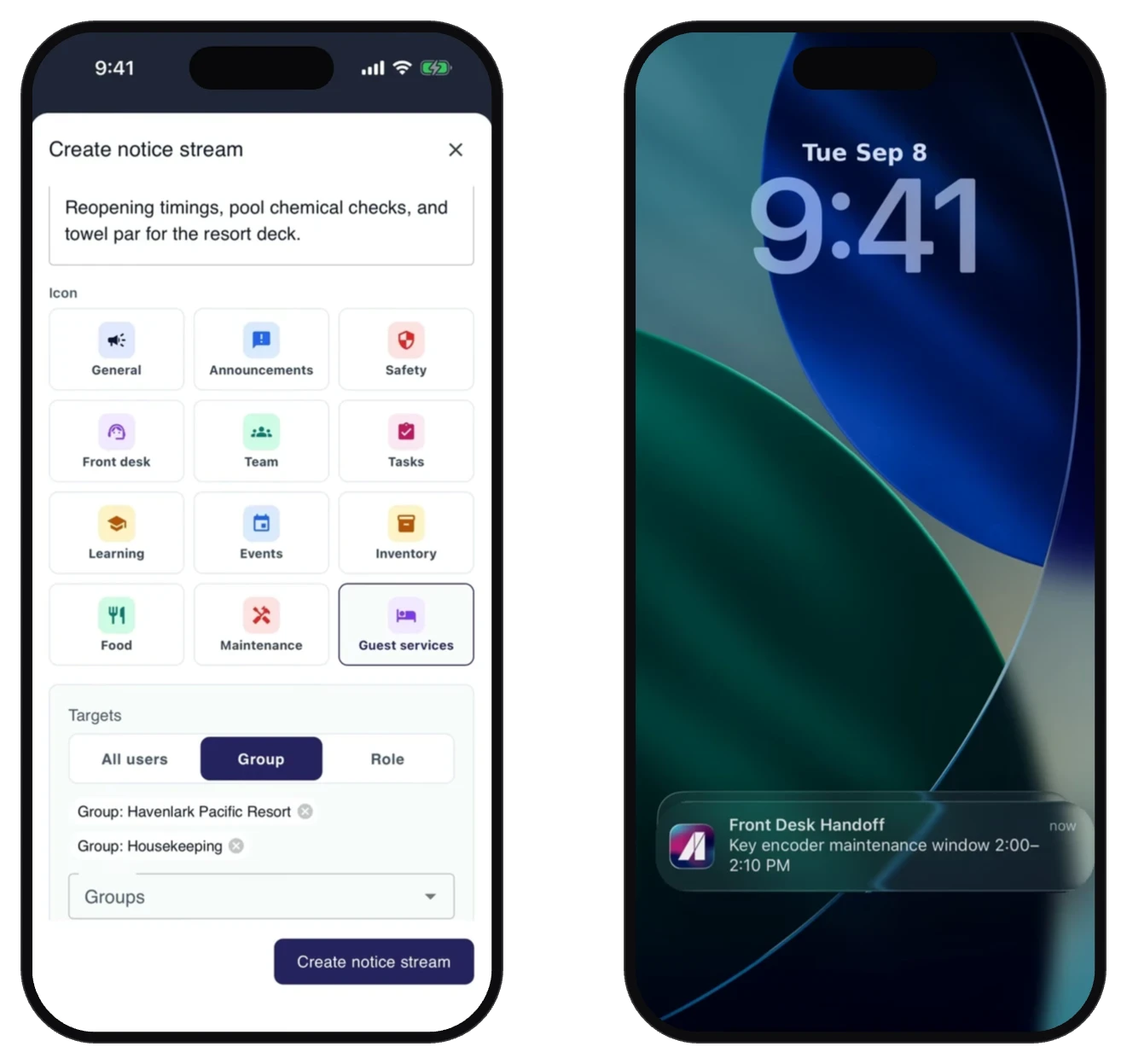
Post to Streams and it lands on the phones you choose, by location, department, or role. Push notifications get it seen. Chat handles the back-and-forth, and any message can be translated in place. A shift can be reached without falling back on the group chat or the all-staff email.
- Streams targeted by location, department, or role
- Push notifications for anything time-critical
- 1:1 and group chat with photos
- Translate any received message in place
Assign it, complete it, prove it
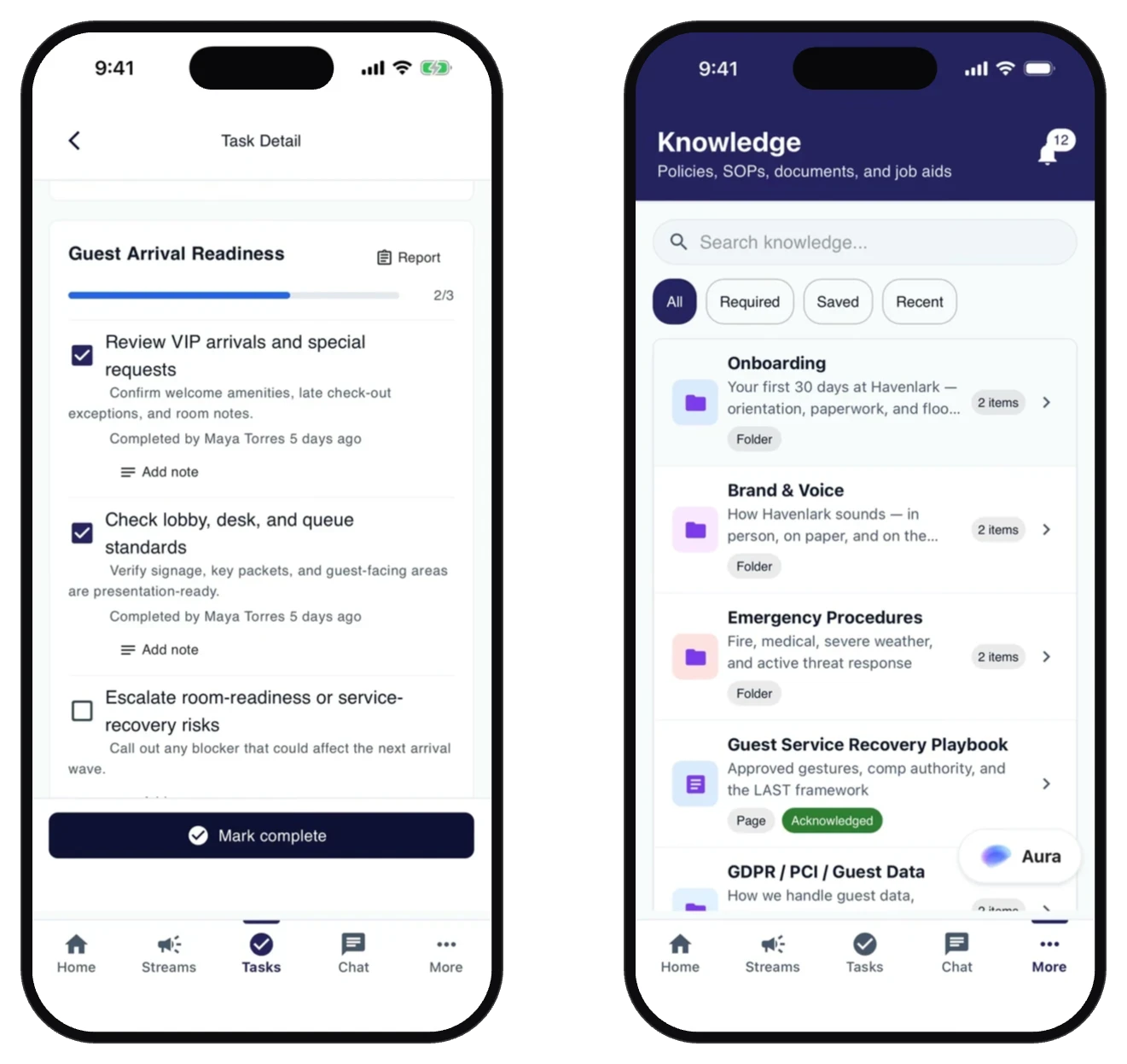
Tasks turn "someone should do this" into a named job with a due time and a completion record. Forms and checklists replace the paper, from safety checks and incident reports to opening and closing procedures, and feed straight back into Tasks.
- Tasks assigned by person, role, or location
- Forms and checklists that replace the binder
- Completion you can track
- Knowledge: policies, SOPs, and job aids, with required reads acknowledged
Location proof on completed tasks
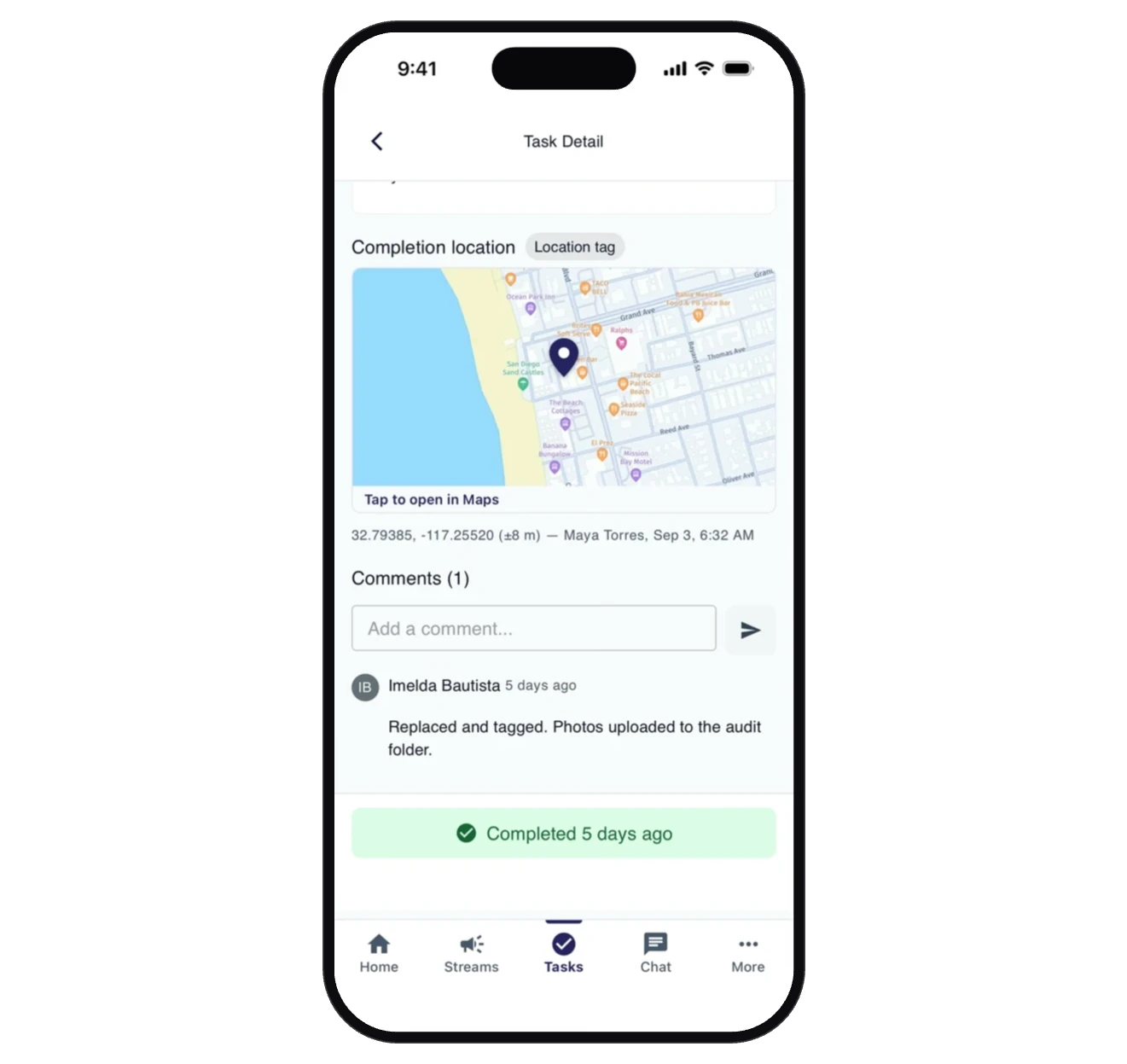
Set a task to require a location and it can't be marked done without one. The worker attaches it with a tap, sees exactly what was captured, and the pin lands on the task with who completed it and when. Head office gets its proof without the drive.
- Require a location on specific tasks
- See who completed each task, when and where
Sign in without a work email
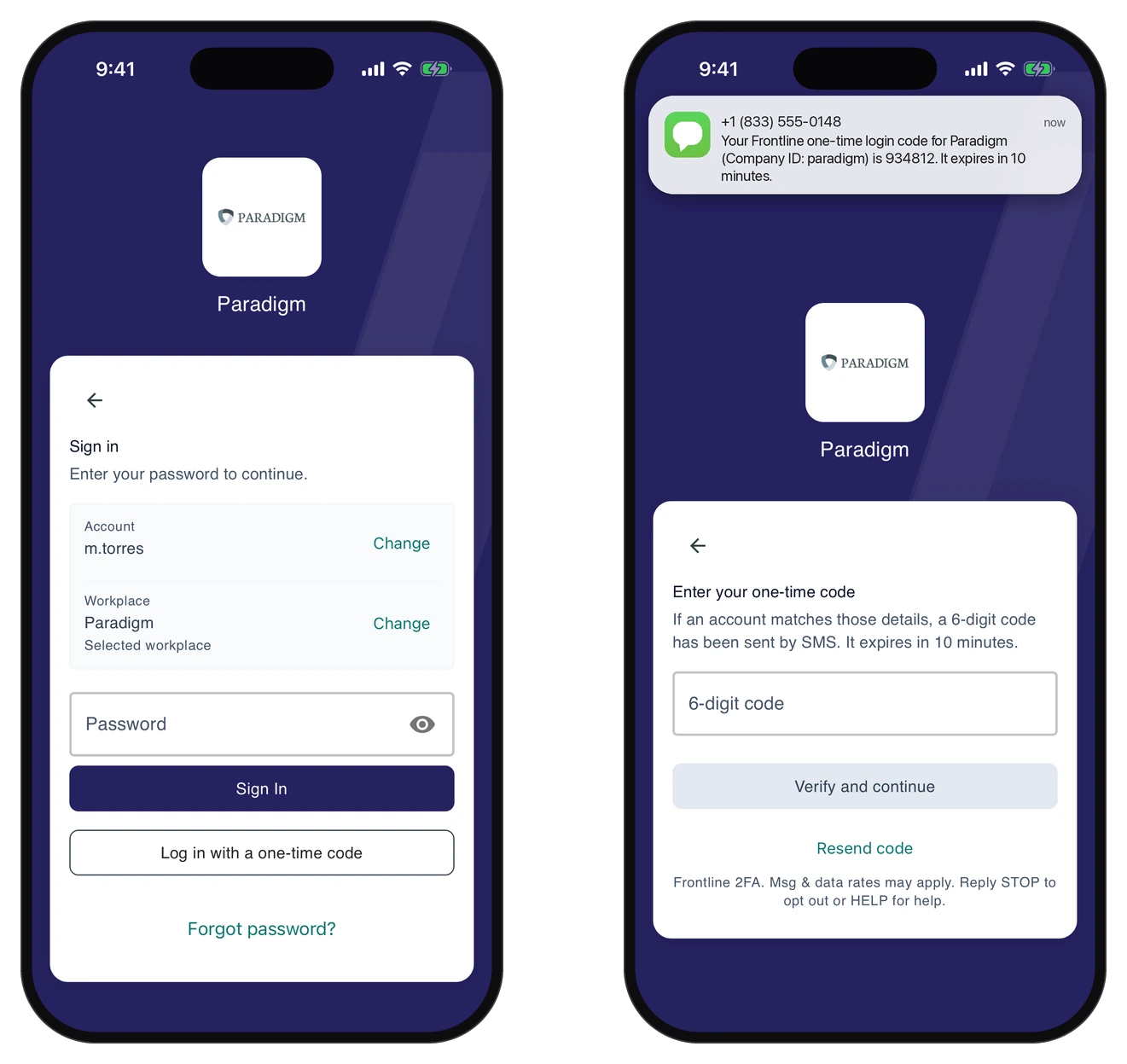
People sign in with a phone number, personal email, employee ID, or username, or through your single sign-on, with a one-time code by SMS or email as the fallback. Groups by location, department, and role decide who sees what. It's an employee mobile app that works on the phones your staff already carry.
- Username or phone login, no email address required
- One-time code by SMS or email as the fallback
- Groups by location, department, and role
- Multi-language throughout
- SAML single sign-on, enforceable per organization
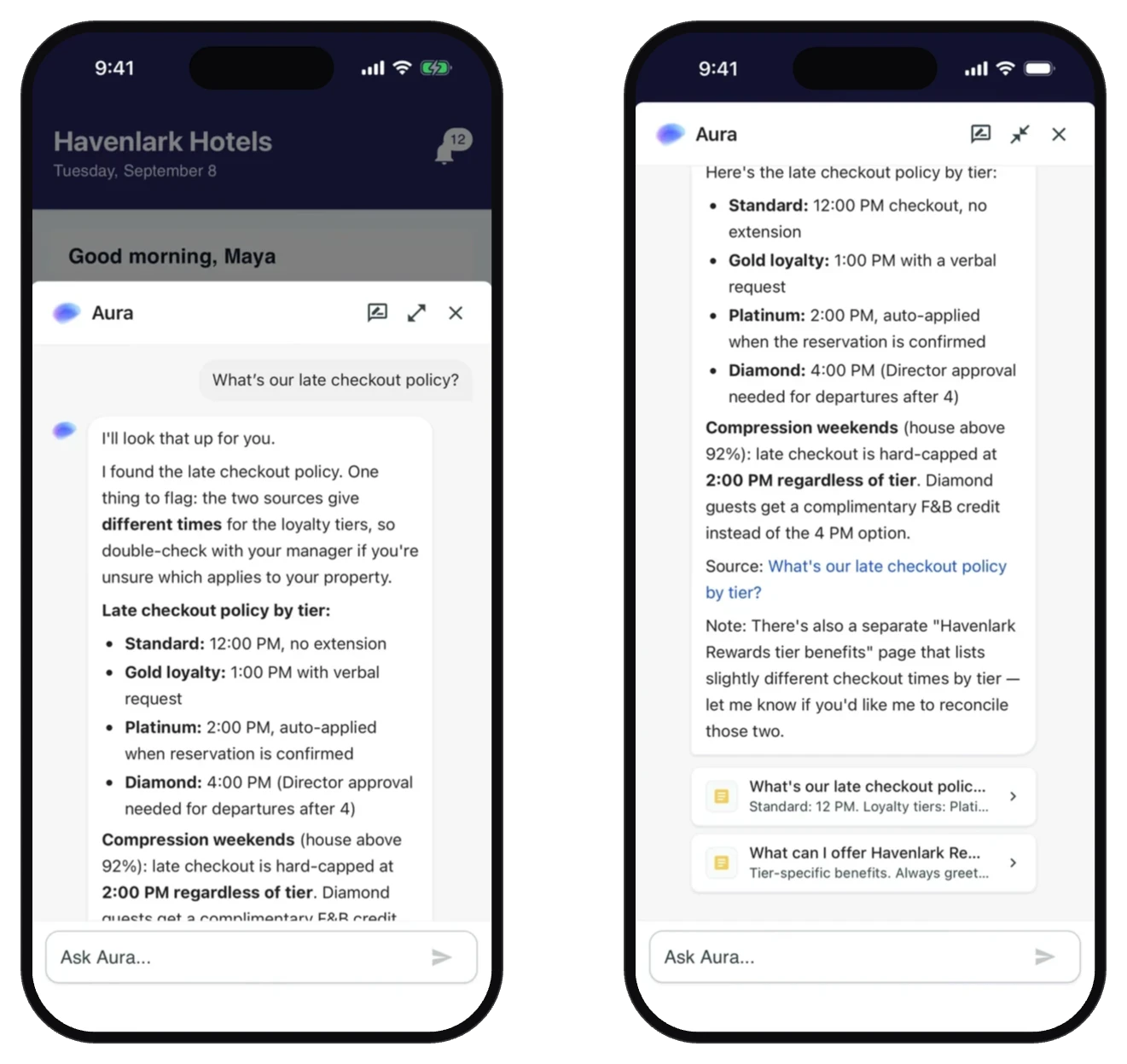
Ask Aura instead of asking around
Absorb Aura comes to the frontline. Staff ask in their own words and get an answer drawn from your documents, Streams posts, tasks, and training, without leaving the app or waiting for a supervisor to be free.
- Ask a question in plain language
- Answers drawn from your own documents, with the source cited
- Looks up Streams, tasks, forms, and your training too

Training built into the same app
Assigned Absorb LMS courses and quick quizzes run in the same app, so workers finish training between tasks.
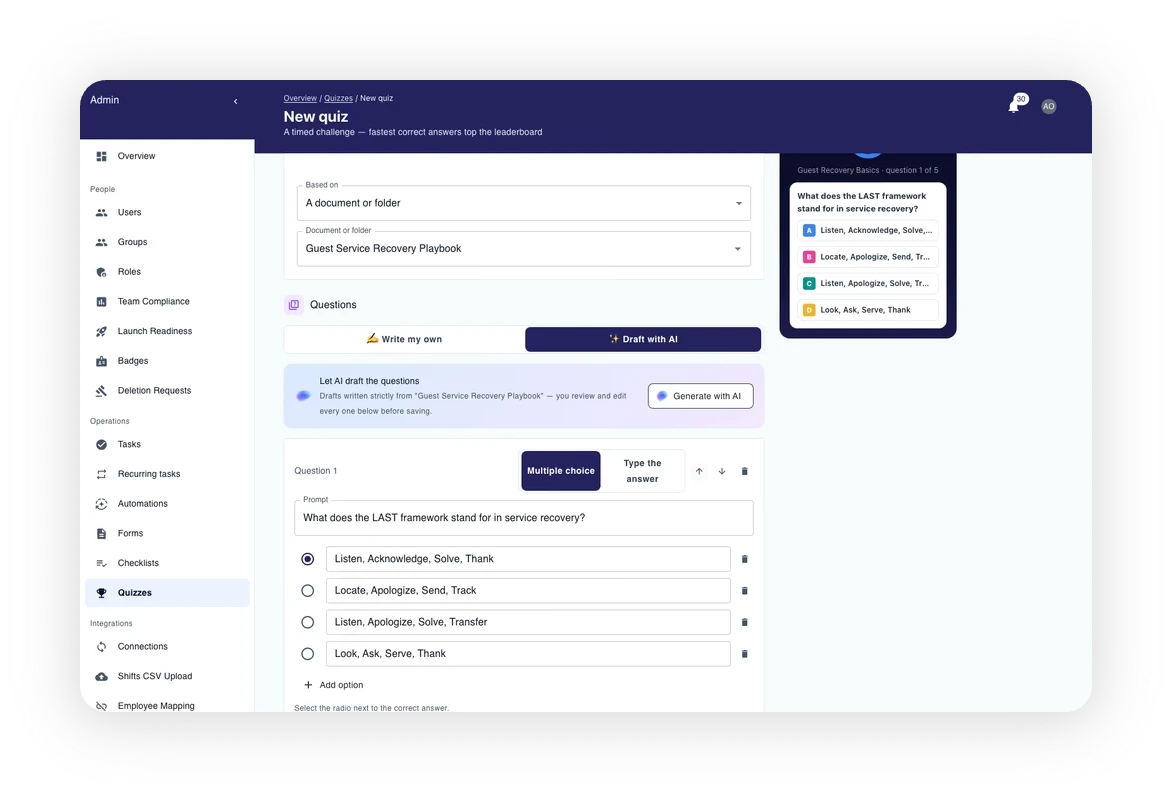
Point it at a document. Let AI draft the questions.
Build a timed quiz in the web admin. Choose a document or folder as the knowledge source and let AI draft the questions from it, or write your own.
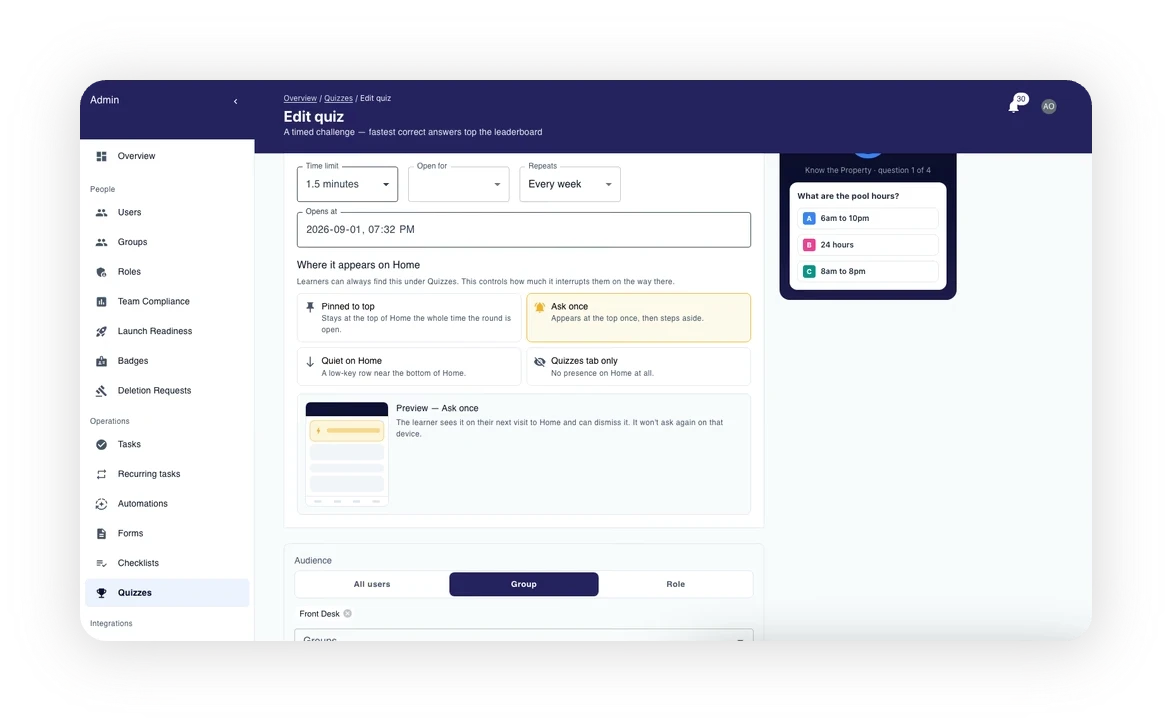
Aim it at a group. Run it every week.
Send it to everyone, a group, or a role, once or on a schedule. On the phone it lands as a card with a Play now button.
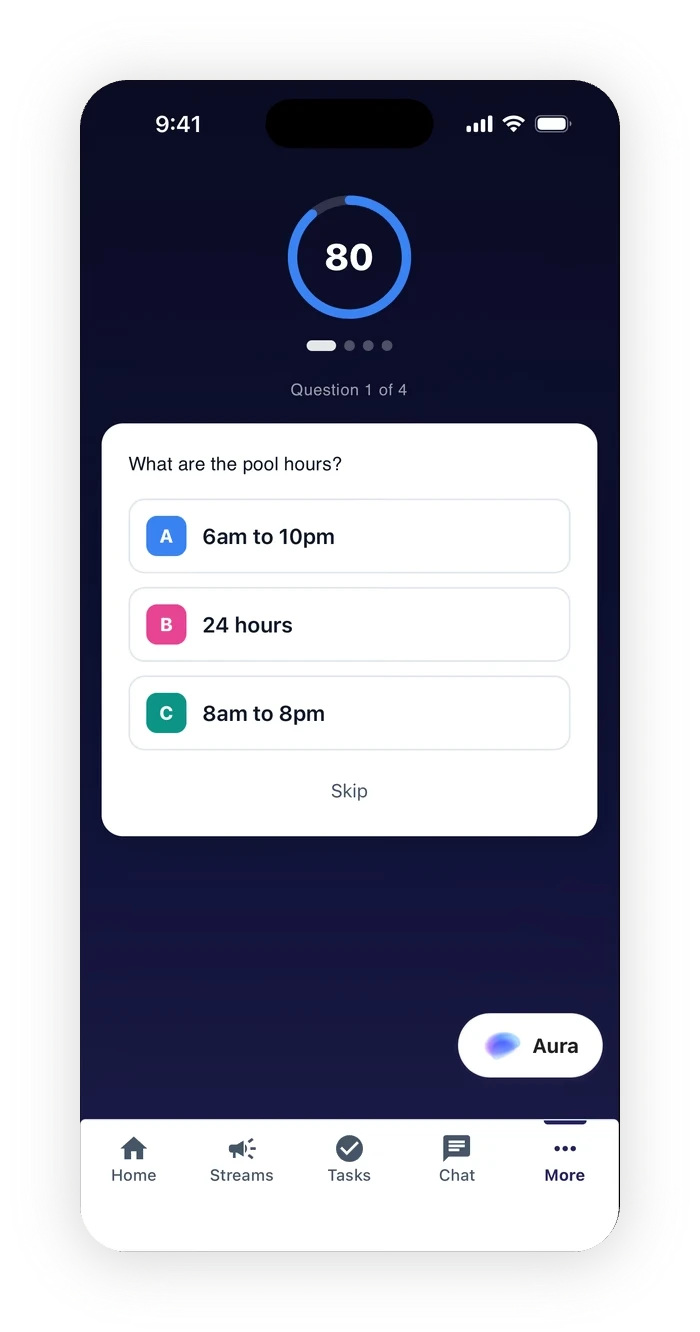
Workers finish a quiz in a minute or two.
The learner taps Play now, the timer starts, and the questions come one at a time. Fastest correct answers top the leaderboard, and a skip counts as wrong. When the last question closes they see their score, their time, and their rank.
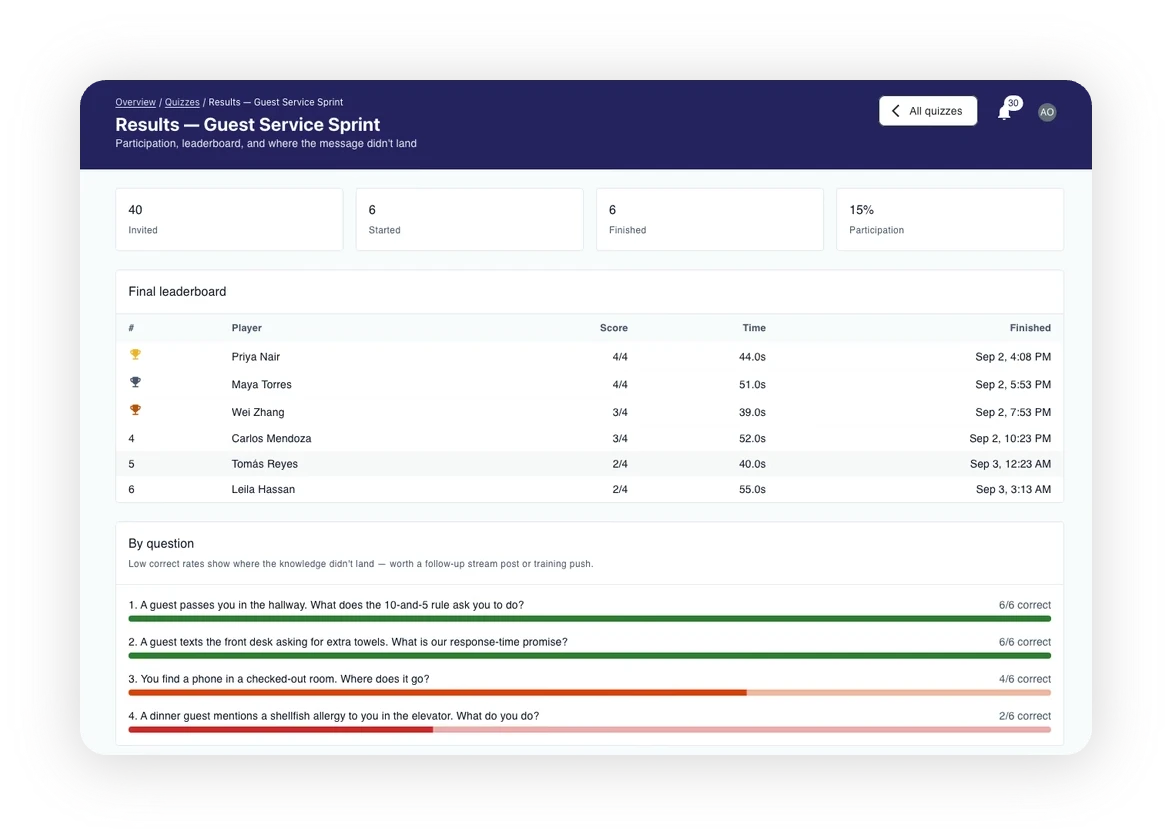
Know who played, and which question missed.
Results stay inside the app. Managers see who was invited, who started, and who finished, the final leaderboard, and the correct rate for every question. A low score on question four becomes a stream post or a training push.
Built for the industries that run on shifts
The floor looks different in a store, a ward, and a depot. One frontline worker communication platform covers all of them.
Every store on the same page
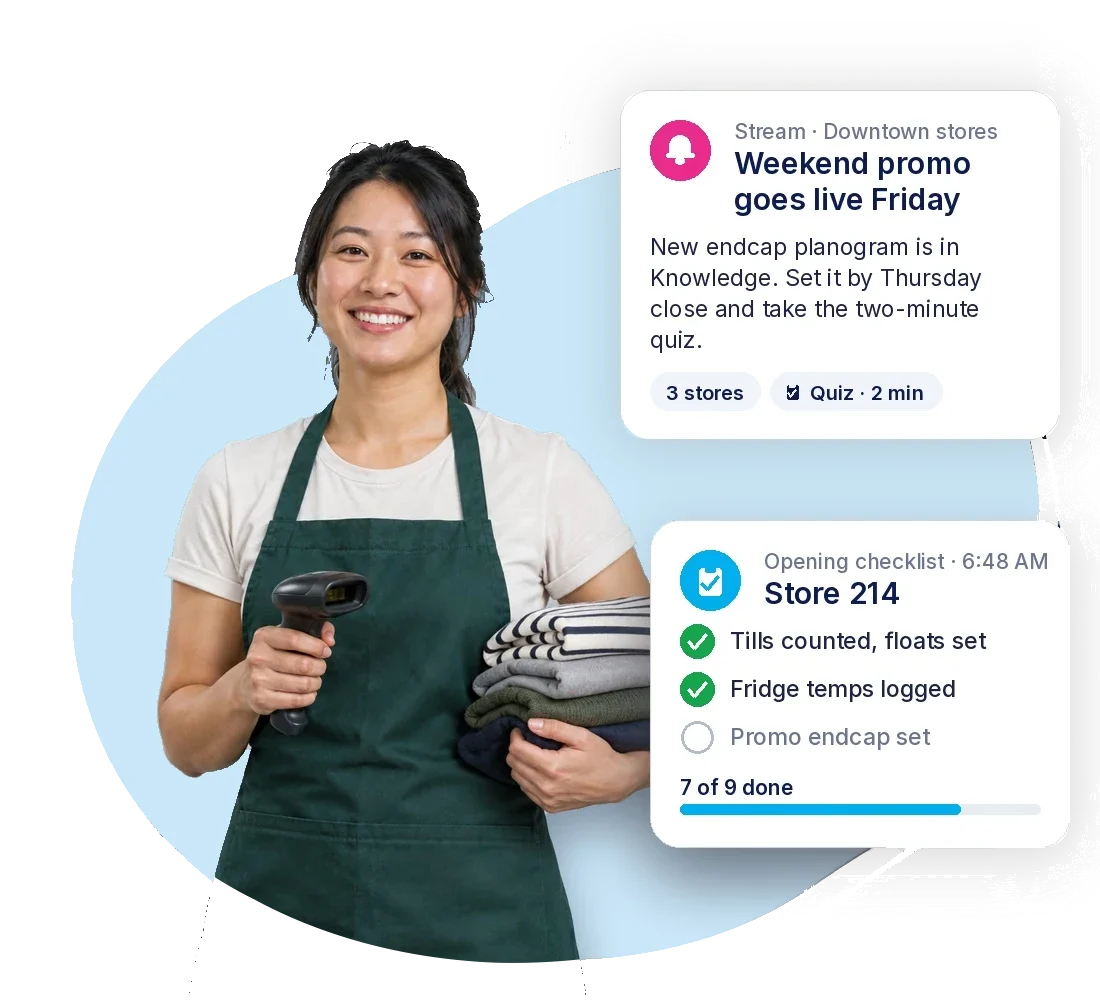
Promo briefs, planogram changes, and the shift's opening checks land in one feed. Head office sees which stores opened them, and which checklists came back done.
On the phone: the day's stream by store or region, an opening checklist with a time stamp, the planogram in Knowledge, and a two-minute quiz on the new promo before it goes live.
Front of house and back of house, together
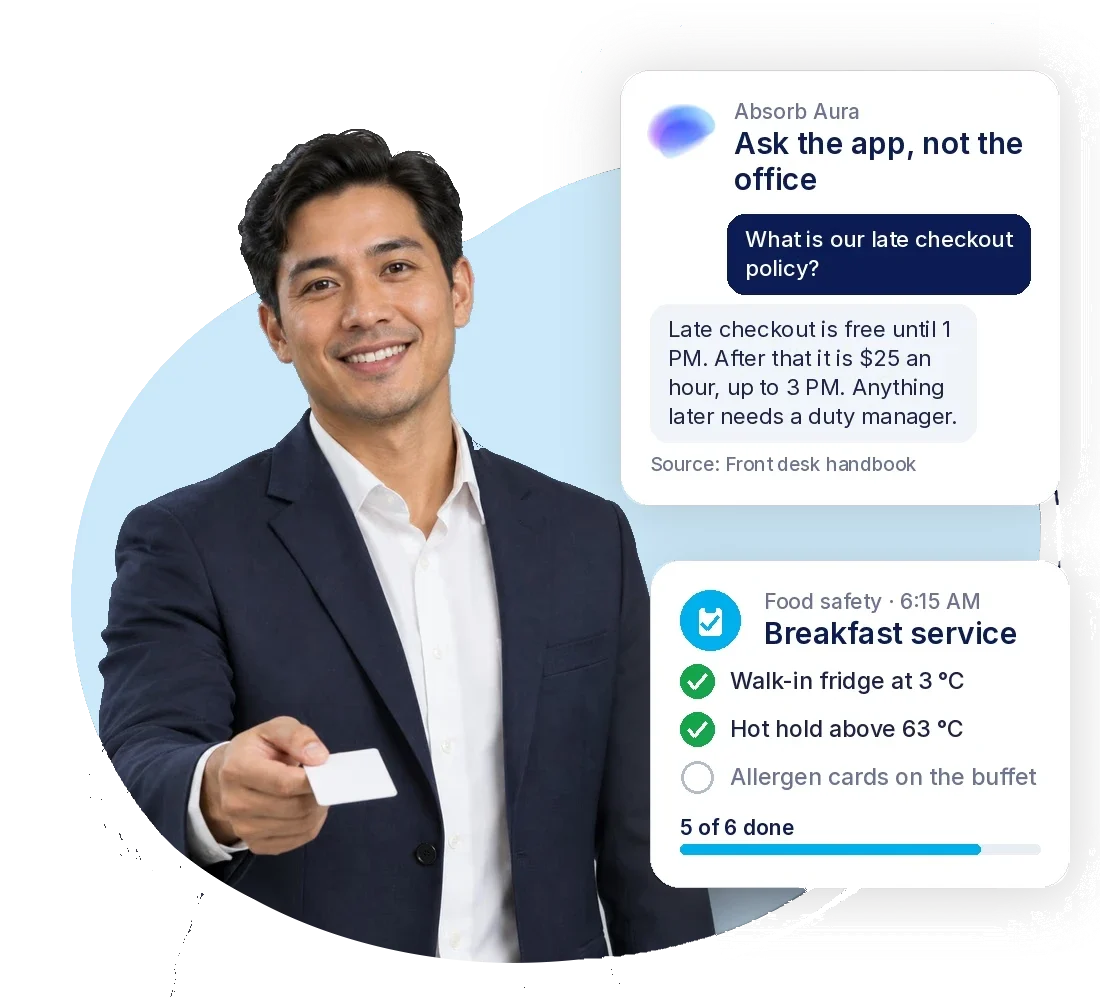
Housekeeping, kitchen, and front desk work from the same app. Shift notices, food safety checks, and incident forms live where staff already look.
On the phone: room-readiness and food safety checklists per shift, guest-service updates by department, and the late checkout policy one question away in Absorb Aura.
Policy changes that reach the ward
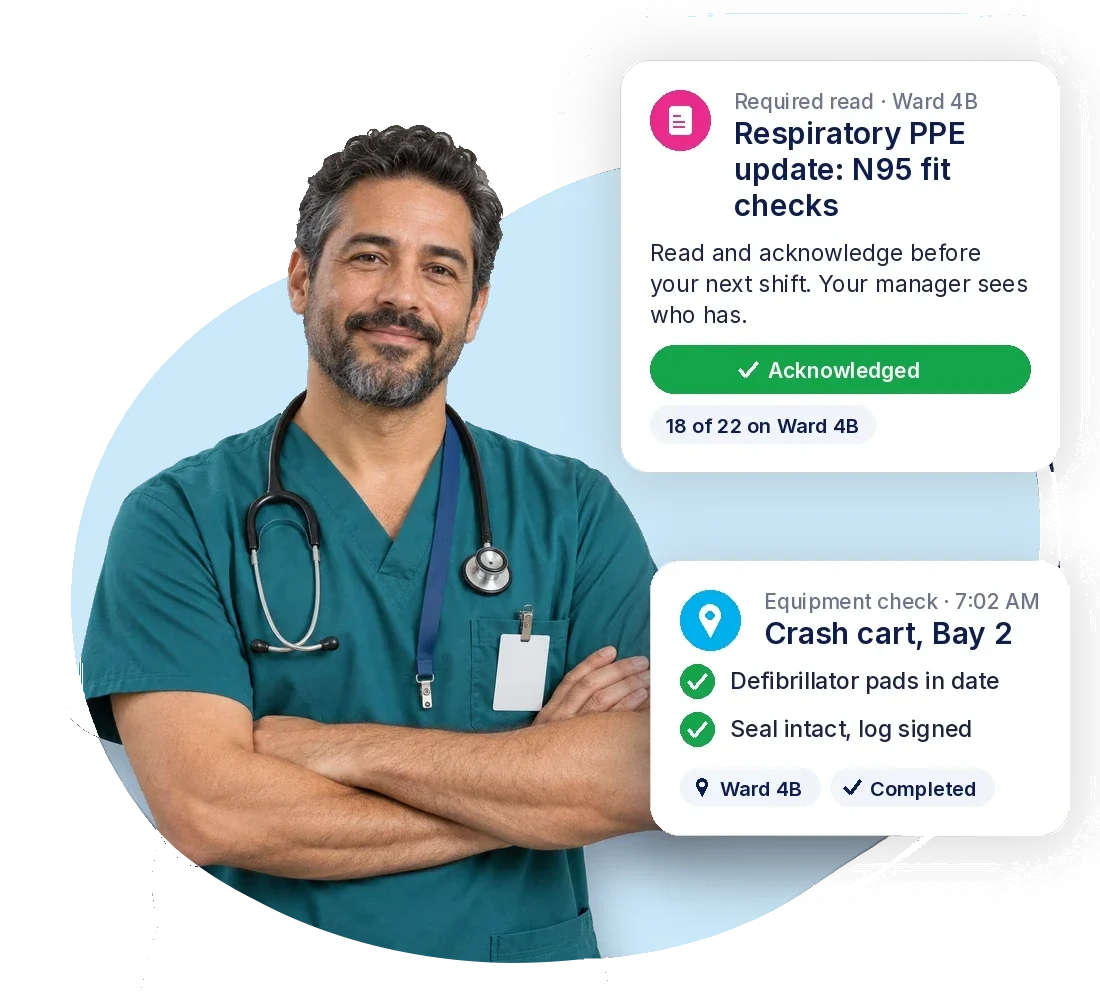
Care teams get policy updates and mandatory training on their own phones, with completion tracked by site.
On the phone: required reads acknowledged per ward, PPE and equipment checks with a location tag, and sign-in by phone number for staff without a hospital email.
Off the clipboard, onto the line
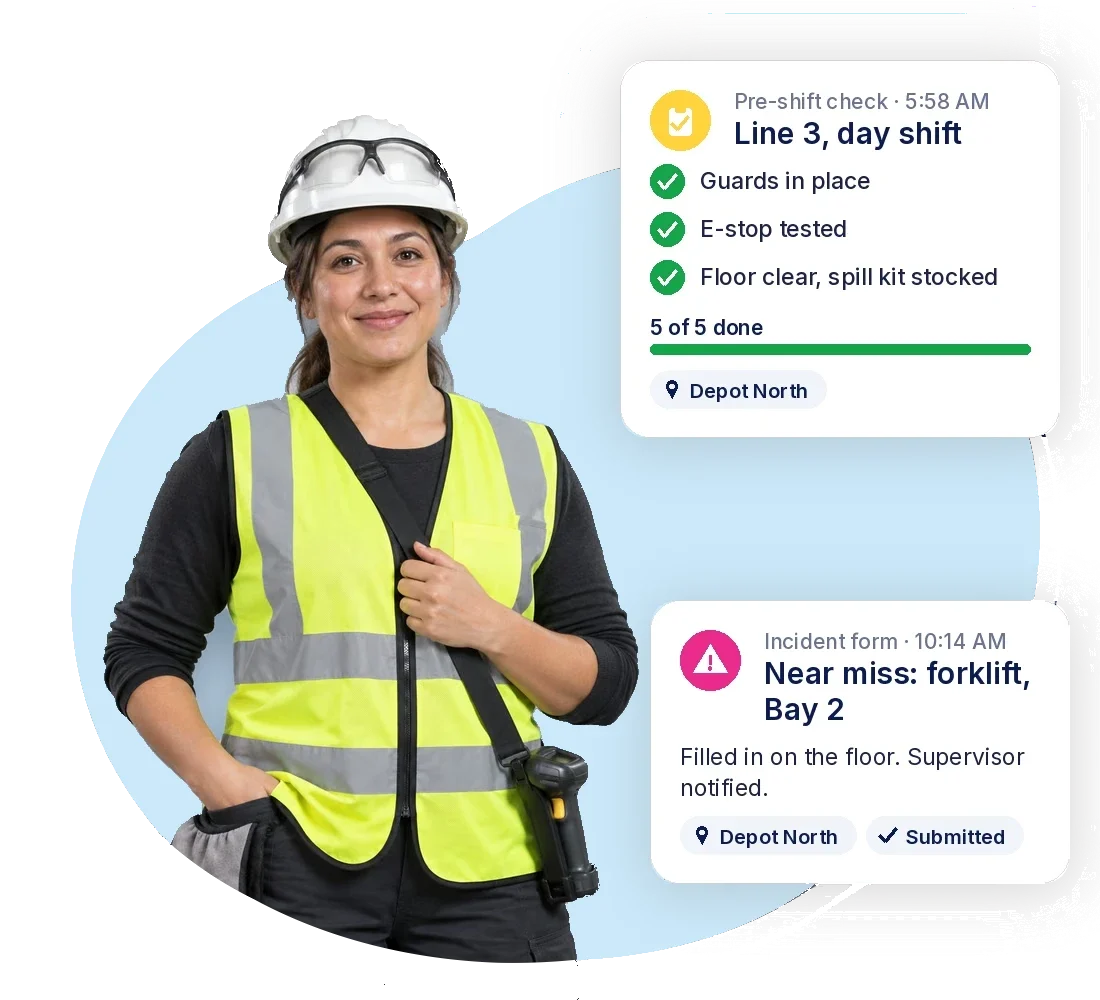
Safety briefings, pre-shift checks, and incident reports move off paper, with a time-stamped record per line, shift, and depot.
On the phone: pre-shift safety checks per line, incident forms filled in on the floor, and completions tagged with the depot where they happened.
Know it landed. Know it got done.
Managers see who read each update, which tasks were finished and who completed training, in one place.

See who read it
See which sites and roles a Stream reached, and who opened it.

See what got done
Task and checklist completion, time-stamped, by location.


Questions about the Absorb Frontline App
What is the Absorb Frontline App?
A mobile employee communication app for workers who don't sit at a desk. It combines updates, chat, tasks and checklists, AI answers from Absorb Aura, and Absorb LMS training, with a web admin for managers.
Do employees need a work email address?
No. People sign in with a phone number, a personal email, an employee ID, or a username, or through your single sign-on (SAML). A one-time code by SMS or email is the fallback, so nobody is locked out for lack of an inbox.
Do I need Absorb LMS to use the Absorb Frontline App?
No. Absorb LMS is built into the app, so the Absorb Frontline App can be purchased and used on its own. Existing Absorb customers can add it to their current platform.
Which devices does it support?
Personal iPhones and Android phones, shared tablets and floor kiosks. Sign-in needs no work email, so staff can use the phones they already own.
Who can a manager send a post to?
A location, a department, a team, or a role, or everyone at once. The post lands on the phones of the people you chose, and you can see who it reached and who opened it.
What is Absorb Aura in the app?
Absorb's AI assistant, inside the app. Staff ask in plain language and get an answer drawn from your own policies and documents, with the source cited. It can also look up Streams posts, tasks, forms, and their own training, so the answer comes from what your organization has already written.
How is it different from other employee communication software?
Training is built in. The Absorb Frontline App includes Absorb LMS, so the courses, completions, and certifications your organization already tracks sit in the same app as the shift's updates and checklists.
Which industries is it built for?
Retail, hospitality, healthcare, manufacturing, and logistics. Anywhere the workforce runs on shifts, shares devices, and doesn't sit at a desk.
What languages does it support?
Content shows in the language set on the worker's phone, and any message they receive can be translated in place, with the original one tap away.