.jpg)

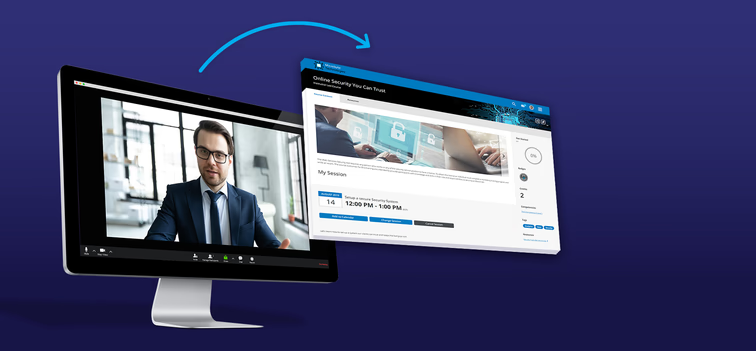
The most effective presentation skills training blends two formats. Online modules teach the core concepts and preparation practices, and live sessions give people the practice and feedback that only a room full of listeners can provide. That combination gets you the best of both formats.
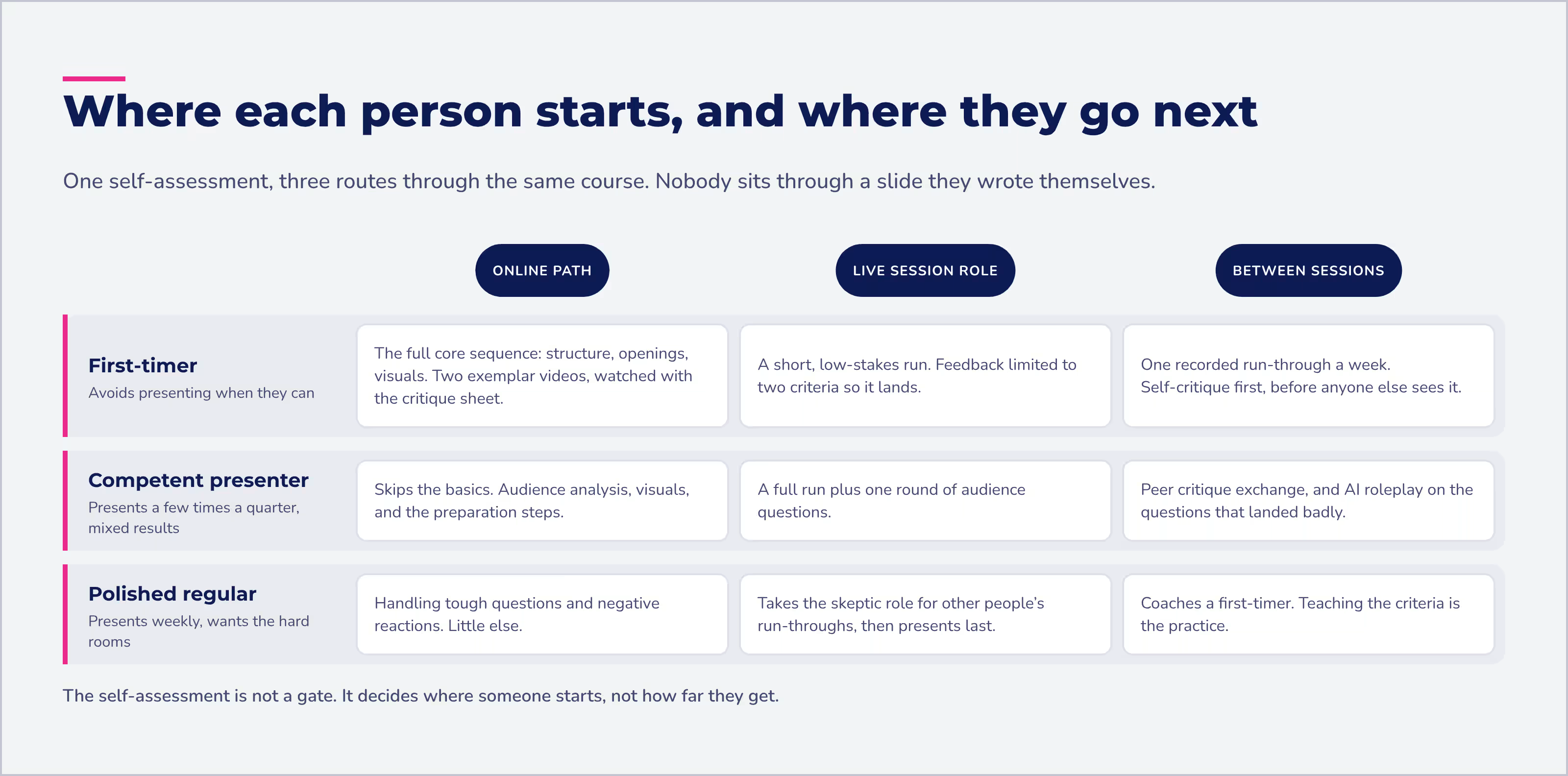
The hardest part of teaching presentation skills is that people arrive at wildly different levels. Your nervous first-timer and your polished sales lead shouldn’t sit through the same slide on eye contact. Online training solves this by letting you tailor the content to each person, so beginners can build the fundamentals while experienced presenters skip ahead to what they need.
Of course, there's no complete substitute for the interpersonal exchange of a live session. Nobody learns to handle a skeptical audience by reading about one. Here's how to design blended presentation skills training that uses each format for what it does best.
Can presentation skills training be done online?
Yes, partly. Core concepts and preparation practices can be taught easily and efficiently online, while live performance skills still need in-person or virtual practice with real listeners and real feedback.
Training element | Best delivered | Why |
|---|---|---|
Core concepts (audience analysis, structure, visuals) | Online | People learn at their own pace and skip what they already know |
Self-assessment and baseline practice | Online | Learners target their own gaps before the live sessions start |
Studying exemplary presentations | Online | Videos and slide decks can be paused, rewatched, and critiqued |
Recording and sharing practice runs | Online | Smartphones and online tools make it easy to capture and share a run-through |
In-depth practice and feedback | Live (in person or virtual) | Skill develops through performing for a group and hearing reactions |
Audience reaction role-play | Live | Peers play realistic, sometimes surprising audience members |
Extra rehearsal between sessions | Online, with AI roleplay | Learners get more practice runs without waiting for a scheduled session |
Ongoing development | Online, through your LMS | Resources stay available long after the course ends |
What should the online part of presentation skills training cover?
The online part should level-set everyone on core concepts, so live time isn't spent on basics. Organize resources and activities around these concepts:
- Audience analysis
- Elements of effective presentations, such as structure, openings, and closings
- Recommendations for different types of presentations
- Steps for preparing a presentation
- Recommended practices for visuals
- Advice for handling tough questions or negative reactions
You can provide eLearning modules, articles, and templates to develop varying levels of skill in these areas and more.
Start with a self-assessment
Include a self-assessment in your learning management system to help learners target which elements to explore, so they're not overwhelmed by their options. You may even want to create a different LMS experience depending on identified needs. Your LMS can suggest targeted resources based on each learner's specific skill development needs, role in the organization, or other factors.
An AI-powered LMS takes this a step further. In Absorb LMS, Absorb Skills pairs a learner self-assessment with AI-driven course recommendations tailored to each person's goals and skill gaps. Your nervous first-timer gets the fundamentals, and your sales lead goes straight to handling tough questions.
Show what good looks like
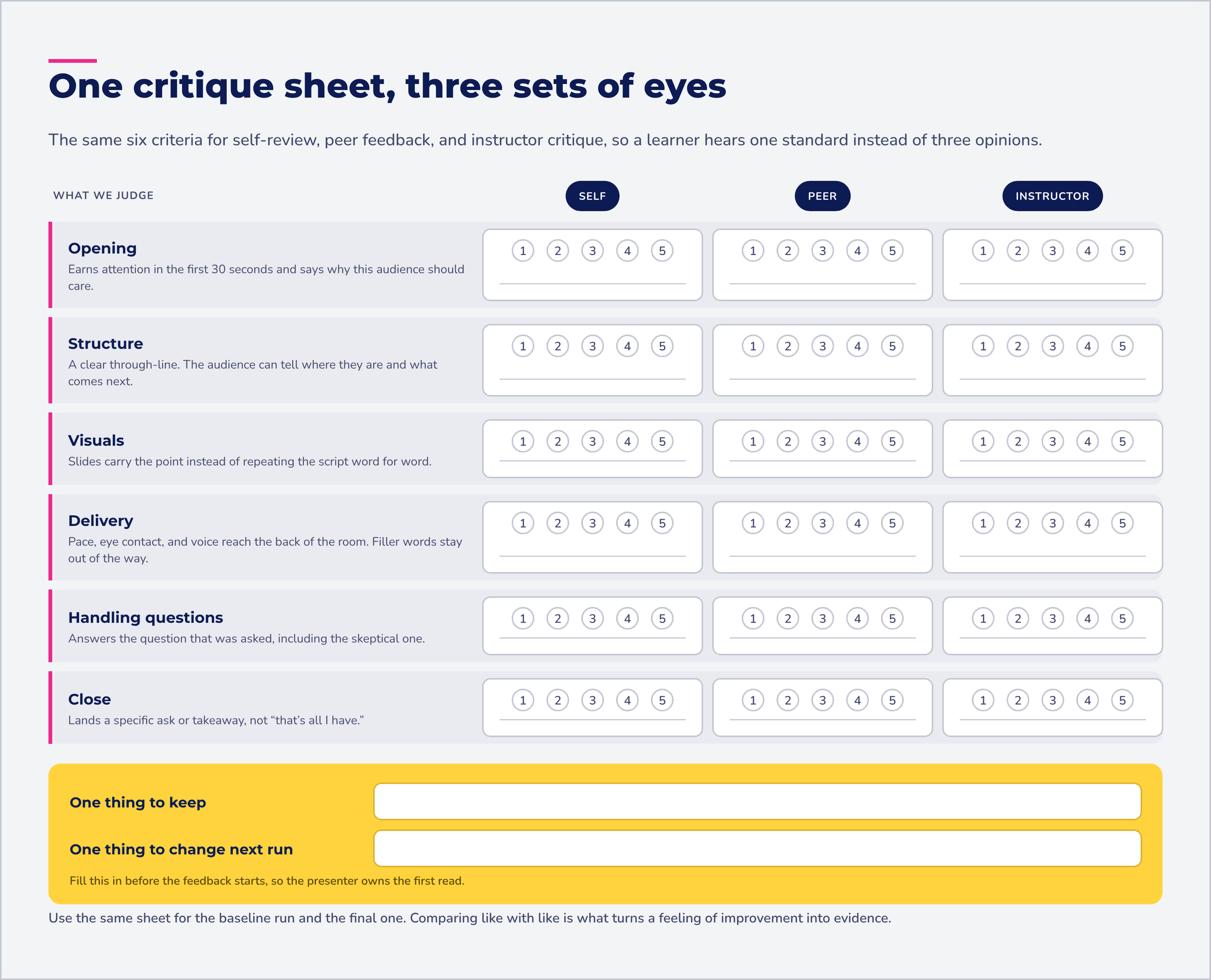
Provide videos of exemplary presentations in a variety of contexts, along with advice on what to watch for. Pair them with a standardized critique sheet so learners observe with a keen eye. The critique sheet can also capture reflections on what learners want to emulate or avoid. Share exemplary slide decks here as well.
Practice before the first live session
Enable a baseline assessment and practice of core presentation skills. People enrolled in the course can use online tools, or even their smartphones, to:
- Capture and critique their own presentations
- Share their videos and slides for peer and instructor critique
Use the same critique sheets for self-evaluation and for feedback from others. One shared standard means a learner hears consistent feedback whether it comes from a peer, an instructor, or their own replay.
How should you use live classroom time?
Use classroom time for in-depth practice and feedback, the part of presentation skills training that can't happen alone. Everything that can be learned solo already happened online, so live sessions are for performing.
Space the sessions out. Scheduling several workshop sessions days or weeks apart accelerates development. It gives people time to process feedback, learn more, practice further, and prepare for the next round.
Bring in your remote workers. Welcome remote employees to instructor-led courses, too. A virtual online meeting integration through your LMS, such as the Zoom integration, lets employees benefit from the group environment regardless of their location. Bonus: you save on your enthusiastic remote learners' travel costs, and you promote a team atmosphere.
Add audience reaction role-play for advanced classes. While learners deliver their presentations, their peers take on typical audience roles to ask questions and give realistic but surprising reactions. It's the closest thing to a real audience without the real stakes.
Debrief with care. Debriefing these role-play sessions requires strong facilitation. The facilitator's job is to reinforce what was done well and give advice on further development.
How do you keep presentation skills growing after the course?
Give people a path to keep practicing once the workshops end. Identify additional in-depth resources the instructor can recommend, so people fine-tune their skills between sessions and beyond the confines of the course.
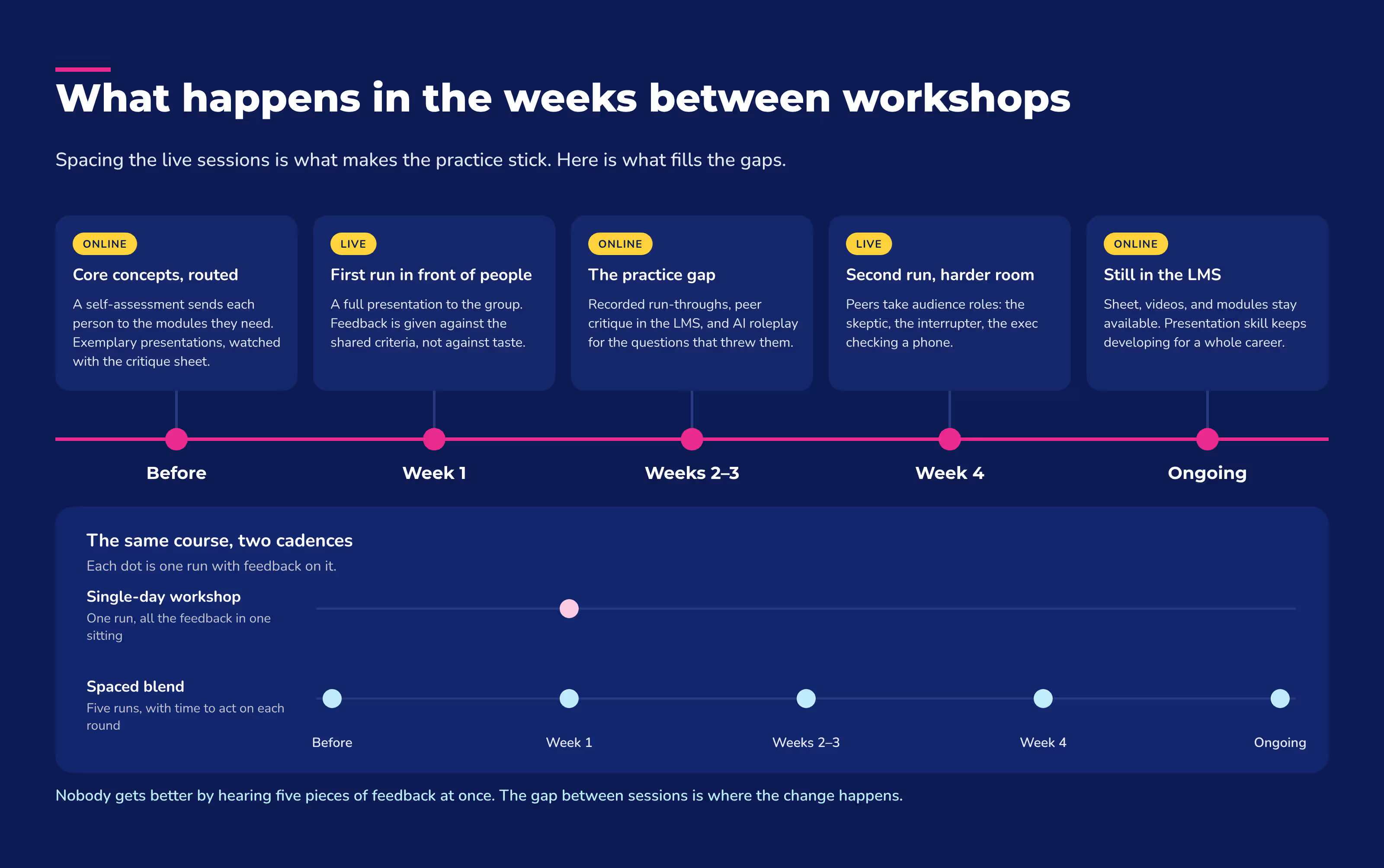
Add AI roleplay for extra reps. Live sessions only come around so often, and handling tough questions is hard to practice alone. AI roleplay software is there whenever a learner wants to practice, without needing to schedule anyone else's time. Aura Rehearse (coming soon) will let people roleplay in scenarios built from your own training content, then get feedback on what worked and what to try differently. Learners show up to the next live session having already worked through the obvious curveballs.
Presentation skill development never ends. Most people will hone those skills throughout their careers, so keep the materials easy to find in your LMS. If you deliver a lot of live training, it's worth reading why you should connect your ILT with your LMS to keep sessions, resources, and records in one place.
Why is blended learning the best approach to presentation skills training?
Blended presentation skills training gives each person a fully personalized experience along with the live performance and feedback that skill development requires. Neither format does both on its own.
A blended design:
- Works for every level. Everyone in the course can advance their skills regardless of where they sit on the proficiency continuum.
- Makes live time count. Workshops focus on practice and feedback instead of covering concepts people could learn alone.
- Keeps development going. It doesn't end when the course does, because people continue to have access to a range of informative and inspiring materials through the LMS.
For more on combining formats, see how to implement blended learning. The ability to communicate through presentations is a skill worth working at, and a blended solution is often the best way to make real strides.
Frequently asked questions about presentation skills training
How do you train presentation skills?
Train presentation skills by blending online learning with live practice. Start with a self-assessment, teach core concepts through online modules, have learners record and critique their own practice runs, then hold spaced live sessions for in-depth practice, feedback, and audience role-play.
What are 5 good presentation skills?
Five good presentation skills to train are audience analysis, structuring a presentation (including strong openings and closings), preparation, designing effective visuals, and handling tough questions or negative reactions.
What are the 7 presentation skills?
There's no single official list of seven presentation skills. Seven core concepts most training covers are audience analysis, presentation structure, openings and closings, adapting to different types of presentations, preparation, visuals, and handling tough questions.
Can you measure whether presentation skills training worked?
Yes. Use the same critique sheet for a baseline assessment before training and for practice runs afterward, so you can compare like with like. For a deeper approach, see how to measure behavior change after training.
Can AI help with presentation skills training?
Yes. An AI-powered LMS can recommend courses based on each learner's self-assessment and skill gaps, and AI roleplay gives people extra practice handling tough questions between live sessions. AI adds practice reps between sessions. It doesn't replace live practice and feedback from instructors and peers, which stays at the center of the blend.
What should you look for in a virtual training platform for presentation skills?
Look for a platform that can deliver online modules and run live virtual sessions in one place. For presentation skills training, that means an LMS that integrates with your online meeting tool, supports video sharing for peer and instructor critique, and keeps resources available after the course ends.
Get a demo to see how Absorb's AI-powered LMS supports blended training.